

A well-adjusted chair doesn’t just improve comfort—it showcases the value of a quality ergonomic product. For dealers and procurement teams, helping users set up their chair correctly leads to better satisfaction, fewer returns, and stronger long-term outcomes.
The good news? It only takes a few simple adjustments.
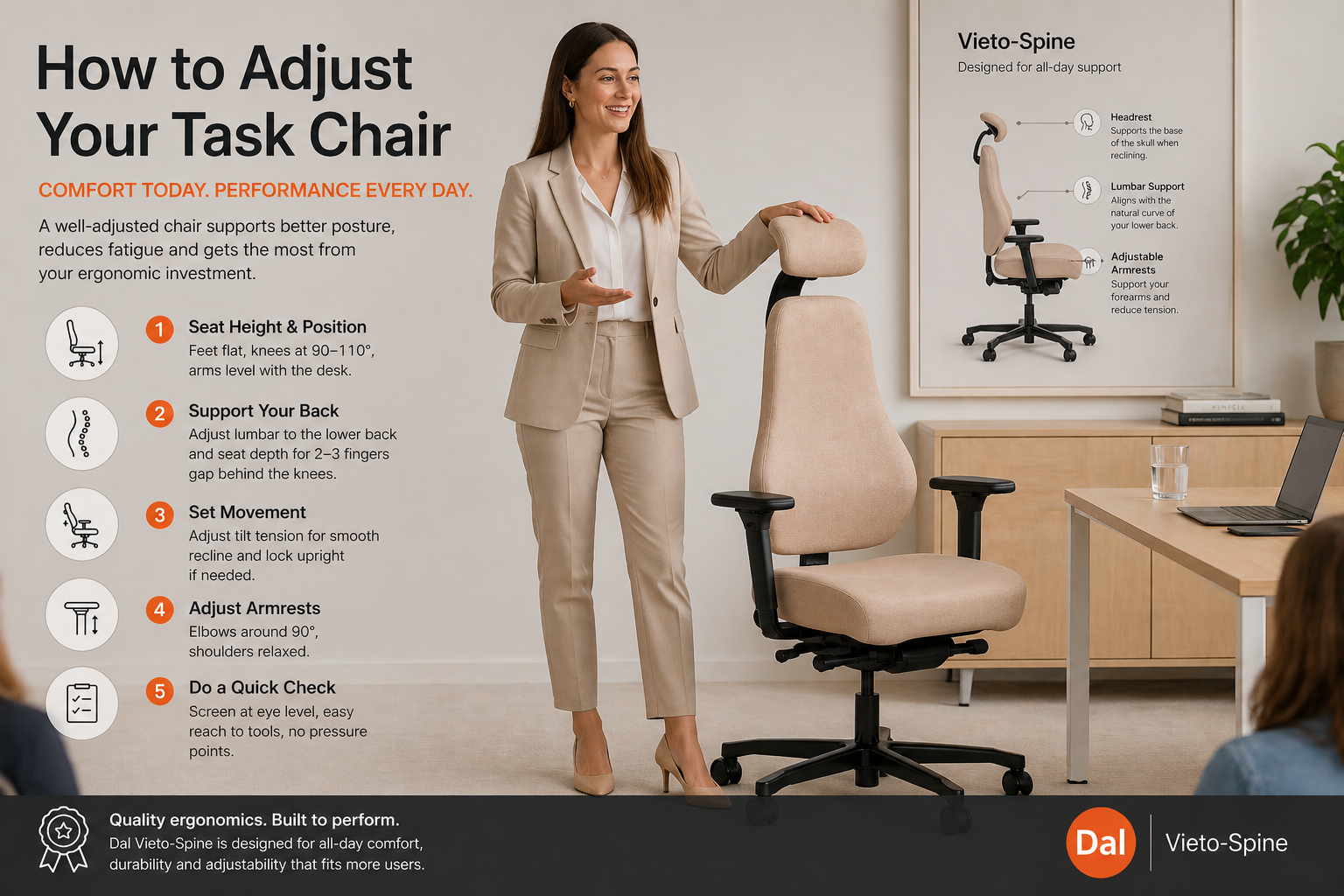
1. Start with Seat Height & Position
This is the foundation of good ergonomics.
- Feet flat on the floor
- Knees around 90–110°
- Arms level with the desk
Getting this right immediately improves posture and circulation—something users notice straight away.
2. Support the Back (Lumbar + Seat Depth)
A good chair should support the natural curve of the spine.
- Adjust lumbar to the lower back
- Leave a small gap behind the knees
- Sit fully back in the chair
Chairs with adjustable lumbar and seat depth offer a better fit across a wider range of users—an important advantage in shared or commercial environments.
3. Set Movement & Recline
Encourage controlled movement rather than a fixed posture.
- Adjust tilt tension for smooth reclining
- Lock upright if required, or keep dynamic
Quality mechanisms make this adjustment easy and consistent—key for high-use workplaces.
4. Position Armrests & Upper Support
- Elbows around 90°
- Shoulders relaxed
- Headrest (if fitted) supports when reclining
Well-designed armrests and upper support reduce neck and shoulder strain—especially important for desk-based roles.
5. Do a Quick Comfort Check
- Screen at eye level
- Easy reach to keyboard and tools
- No pressure points
Small adjustments here make a big difference to daily comfort.
Why This Matters for Your Business
When chairs are set up properly:
- Users are more comfortable and productive
- Return rates drop
- Warranty issues are reduced
- The value of ergonomic features is clearly demonstrated
For resellers and workplace buyers, this is where quality seating stands apart. Products with a wide adjustment range, durable mechanisms, and certified ergonomic design consistently deliver better outcomes.
The Takeaway
A task chair should adapt to the user—not the other way around. With just a few simple adjustments, you can unlock the full value of ergonomic seating and create a noticeably better workplace experience.